Multitech MT3400ZLX Uživatelský manuál Strana 12
- Strana / 59
- Tabulka s obsahem
- ŘEŠENÍ PROBLÉMŮ
- KNIHY

- Model MT3400ZLX 1
- Owner’s Manual 1
- Contents 3
- About This Manual 6
- About This Product 6
- Specifications 7
- Features 8
- System Requirements 8
- Ship Kit Contents 8
- Safety Warnings 9
- Installing The MT3400ZLX Card 10
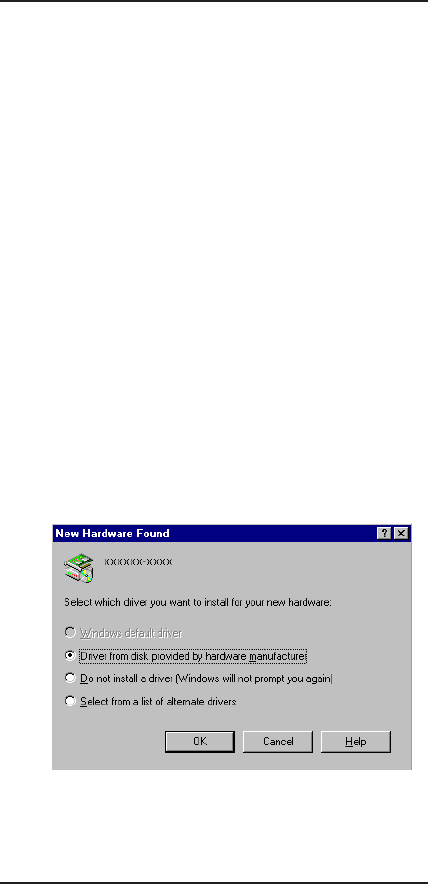
- Working With Windows 95 11
- MT3400ZLX Owner’s Manual 12
- 2 - Installation Quick Start 13
- Introduction 15
- How To Use AT Commands 15
- Basic AT Commands 16
- AT& (Ampersand) Commands 20
- AT% (Percent) Commands 22
- AT\ (Back Slash) Commands 22
- S-Registers (ATSn=x) 26
- Result Codes 31
- Chapter 4 - Troubleshooting 33
- 4 - Troubleshooting 35
- COM Port and IRQ Conflicts 39
- Chapter 5 - Service 40
- Limited Warranty 40
- On-line Warranty Registration 41
- Tech Support 43
- Recording Modem Information 43
- About the Multi-Tech BBS 45
- About CompuServe/Internet 46
- 5 - Service 47
- Appendix A - Specifications 48
- Settings 49
- Information 51
- FCC Regulatory Statements 51
- Appendices 53
- Canadian Limitations Notice 54
Související produkty a manuály pro Modemy Multitech MT3400ZLX
 (106 stránky)
(104 stránky)
(57 stránky)
(91 stránky)
(130 stránky)
(33 stránky)
(117 stránky)
(31 stránky)
(61 stránky)
(59 stránky)
(67 stránky)
(29 stránky)
(76 stránky)
(41 stránky)
(28 stránky)
(106 stránky)
(104 stránky)
(57 stránky)
(91 stránky)
(130 stránky)
(33 stránky)
(117 stránky)
(31 stránky)
(61 stránky)
(59 stránky)
(67 stránky)
(29 stránky)
(76 stránky)
(41 stránky)
(28 stránky)
© 2020, manymanuals.cz. Všechna práva vyhrazena. | 0.040 s |
 Manymanuals.com
 Manymanuals.de
 Manymanuals.fr
 Manymanuals.it
 Manymanuals.pl
 Manymanuals.cz
 Manymanuals.es
 Manymanuals-pt.com
Komentáře k této Příručce