Multitech FF110 Uživatelská příručka Strana 22
- Strana / 167
- Tabulka s obsahem
- ŘEŠENÍ PROBLÉMŮ
- KNIHY


- FaxFinder 1
- FF110 1
- Table of Contents 3
- Specifications 6
- Safety Warnings 7
- Technical Specifications 8
- Related Manuals 8
- Chapter 2 – System Overview 9
- Internet 10
- Chapter 2: System Overview 11
- Outgoing Fax Transmission 16
- We Supply 17
- You Supply 18
- Phone Lines, and Ethernet 18
- 5. Do Power-On Test 19
- 2. Logging In (I) 22
- Function 24
- Phone Book 24
- Ext Function 25
- Password Administration 30
- Chapter 4 – FaxFinder Server 34
- Software Screens 34
- Login Screen 35
- Fax Log Screen 36
- Fax Details Screen 38
- Current Status Screen 40
- Logout Option 43
- Help Screen 43
- Administration Screen 44
- Phone Book Screen 48
- Passwords must be 54
- Configuration 55
- Sending Test Fax 63
- Operation 72
- Sending a Fax 74
- Software screen 75
- Scheduling Fax Transmissions 80
- Re-Sending a Failed Fax 81
- Canceling a Fax 85
- Forwarding a Fax 89
- Receiving a Fax 91
- Outlook 101
- Using Stock Cover Pages 104
- Description 113
- File Menu 124
- Insert Menu 125
- Edit Menu 125
- View Menu 127
- Settings Menu 128
- Chapter 7 – Server Operation 130
- Front Panel LEDs 131
- Chapter 8 - Device Manager 133
- Installation & Operation 133
- Access to Commands 134
- Right-Click on listed device 135
- Device Manager Main Screen 137
- Device Manager “Edit” Menu 139
- Access N.N.N.N Field 147
- Chapter 9 – Troubleshooting 159
- 47 CFR Part 68 Telecom 162
- 47 CFR Part 15 Regulation 163
- Fax Branding Statement 163
- Canadian Limitations Notice 164
- Industry Canada 164
- WEEE Statement 165
Související produkty a manuály pro Sítě Multitech FF110

 (17 stránky)
(99 stránky)
(39 stránky)
(200 stránky)
(33 stránky)
(44 stránky)
(29 stránky)
(29 stránky)
(24 stránky)
(104 stránky)
(17 stránky)
(99 stránky)
(39 stránky)
(200 stránky)
(33 stránky)
(44 stránky)
(29 stránky)
(29 stránky)
(24 stránky)
(104 stránky)
 (13 stránky)
(108 stránky)
(39 stránky)
(28 stránky)
(36 stránky)
(54 stránky)
(13 stránky)
(108 stránky)
(39 stránky)
(28 stránky)
(36 stránky)
(54 stránky)
DeVillbiss Air Power Company SP-100-F manuály
Uživatelské manuály a uživatelské příručky pro Kondicionéry DeVillbiss Air Power Company SP-100-F.
Poskytujeme 1 manuály pdf DeVillbiss Air Power Company SP-100-F ke stažení zdarma podle typů dokumentů: Uživatelský manuál
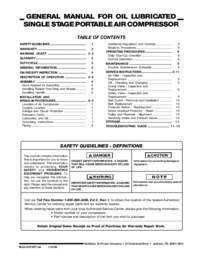
Devillbiss air power company SP-100-F Uživatelský manuál (16 strany)
Značka: Devillbiss-air-power-company | Kategorie: Conditioners | Velikost: 0.25 MB |
Tabulka s obsahem
5
Další produkty a příručky pro Kondicionéry DeVillbiss Air Power Company
| Modely | Typ Dokumentu |
|---|---|
| MGP-FAC100-1 |
Uživatelský manuál
DeVillbiss Air Power Company MGP-FAC100-1 User Manual,
12 stránky
|
| D23757 |
Uživatelský manuál
DeVillbiss Air Power Company D23757 User Manual,
20 stránky
|
| SP-100-E |
Uživatelský manuál
DeVillbiss Air Power Company SP-100-E User Manual,
8 stránky
|
| 102D-3 |
Uživatelský manuál
DeVillbiss Air Power Company 102D-3 User Manual,
12 stránky
|
© 2020, manymanuals.cz. Všechna práva vyhrazena. | 0.036 s |
 Manymanuals.com
 Manymanuals.de
 Manymanuals.fr
 Manymanuals.it
 Manymanuals.pl
 Manymanuals.cz
 Manymanuals.es
 Manymanuals-pt.com
Komentáře k této Příručce